


Find User, Role and Channel in Discord

How to Find a User, Role, or Channel in Discord

Step 1: Enable Developer Mode

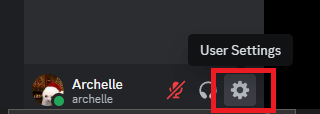
  • Open Discord and go to User Settings (⚙️).

alt

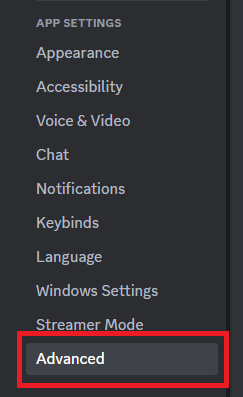
  • Scroll down to Advanced under App Settings..

alt

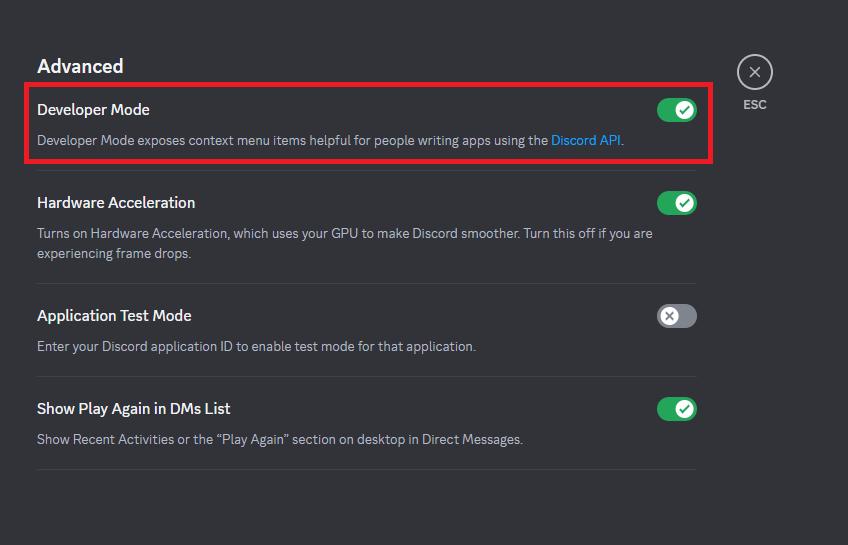
  • Toggle Developer Mode ON.

alt

Step 2: Finding a User ID

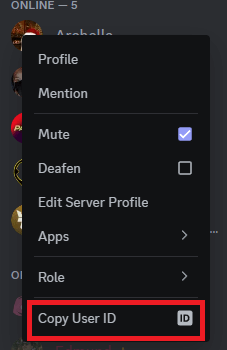
  • Right-click on the user’s profile (or click their name in chat).
  • Click USer ID.

alt

Step 3: Finding a Role ID

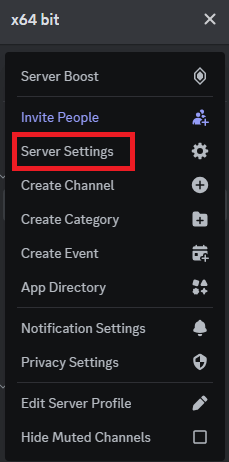
  • Go to Server Settings (click the server name at the top left).

alt

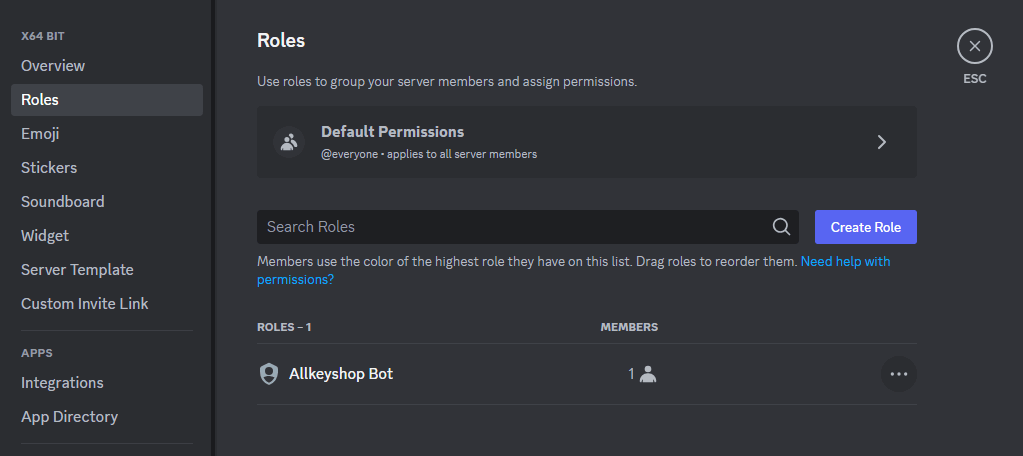
  • Click Roles in the left sidebar.

alt

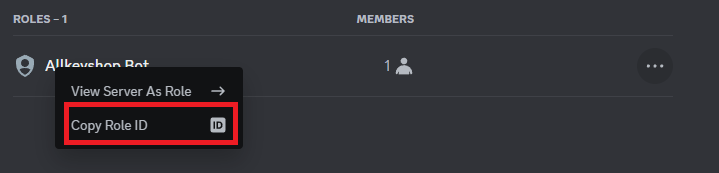
  • Right-click the role you want and select Copy Role ID.

alt

Step 4: Finding a Channel ID

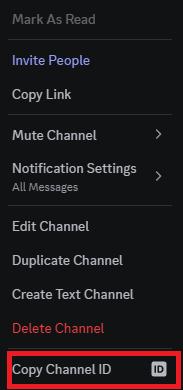
  • Right-click on the channel name in the server list.
  • Click Channel ID.

alt

Copyright © 2024 Terms of Service - Privacy Policy Allkeyshop Discord Bot
This site is protected by reCAPTCHA and the Google Privacy Policy and Terms of Service apply.