Step 1: Create the Tournament
- Use the
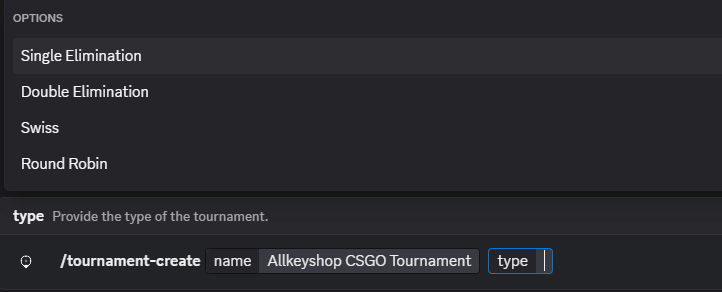
/tournament-create command to create a tournament.
- The command will prompt for the name and type of tournament. The user can choose the tournament type by clicking the type input box.

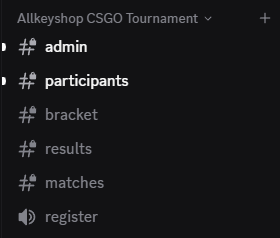
- After executing the command and entering the data, a category channel with sub-channels will be created.
Step 2: Register for the Tournament
- Users can register for the tournament through the registration voice chat channel.
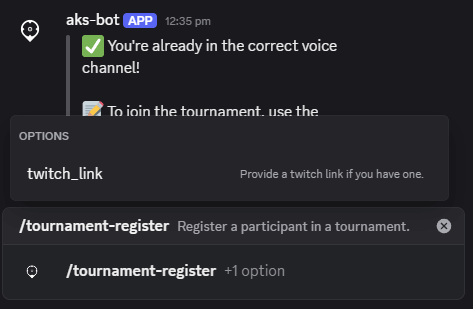
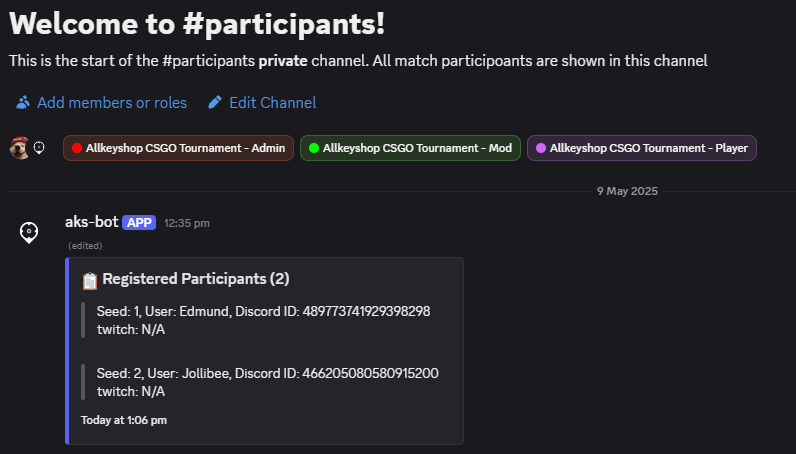
- Once registered, participants will be able to see their registration status in the
participants channel.
Step 3: Start the Tournament
- Once all participants are registered, the administrator can start the tournament by executing the
/tournament-start command in the admin channel.
- A notification will appear in the
admin channel after executing the command.

- The bracket and matches channels will also be updated.
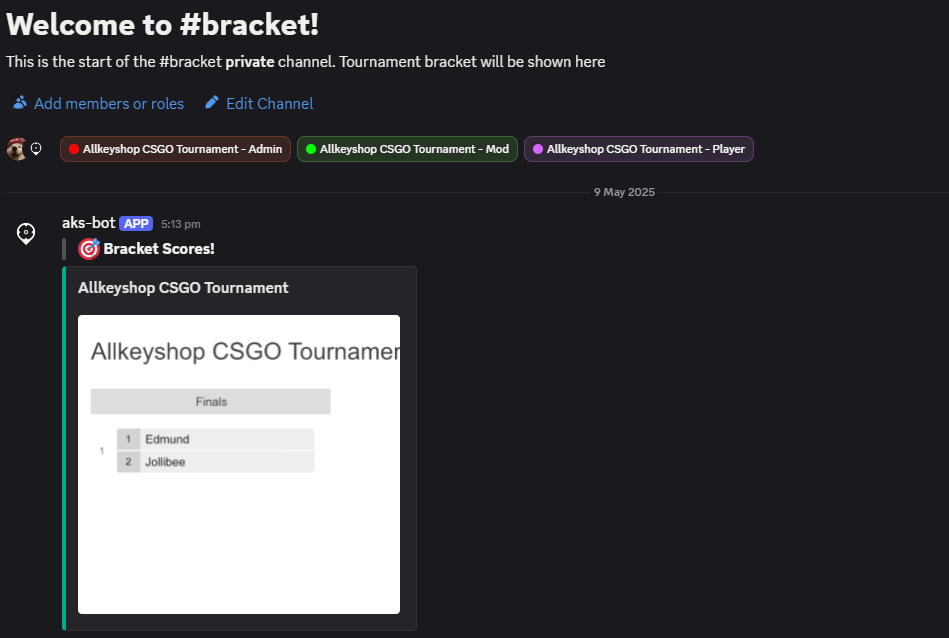
- In the
bracket channel, a tournament bracket will be created.
- Participants will be able to view the contents of this channel.
- In the
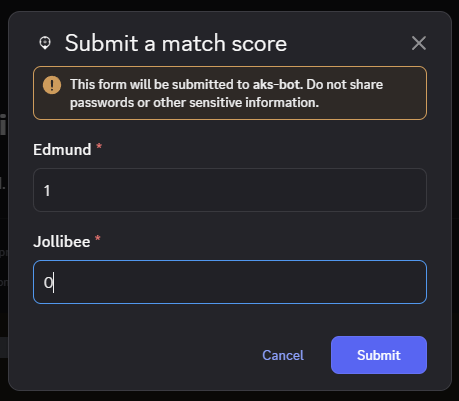
matches channel, a thread will be created that only the administrator can access. This thread allows the administrator to update participants’ scores.
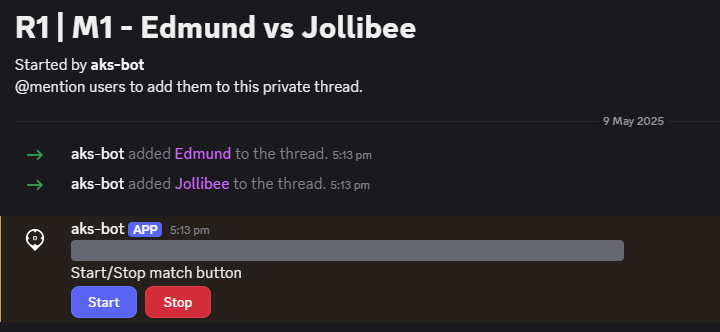
- When the administrator clicks the 'Start' button, a notification and a 'Score' button will appear.
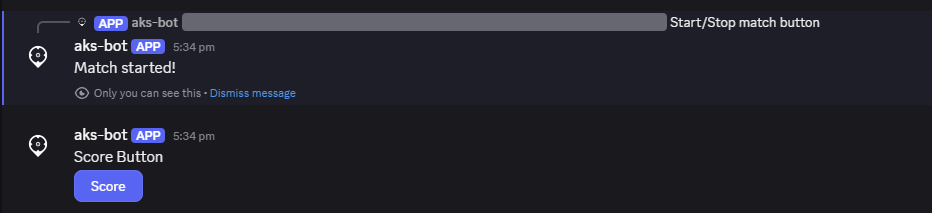
- Clicking the 'Score' button allows the administrator to update participants’ scores.

Step 4: End the Tournament
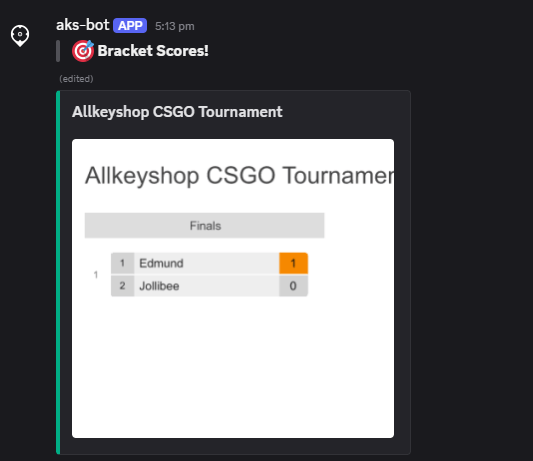
- When a score is updated or the tournament finishes, the bracket in the
bracket channel will be updated.
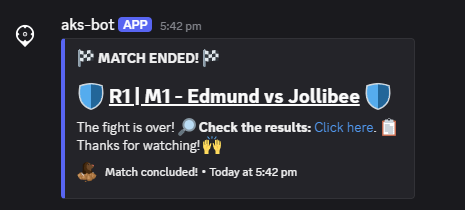
- When the tournament ends, a notification will appear in both the
matches and results channels.
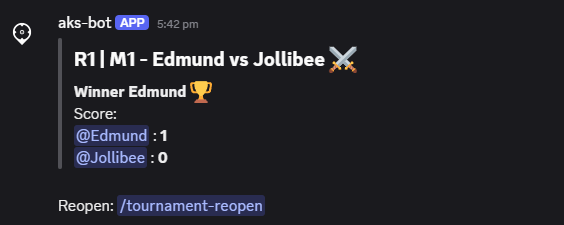
- A notification will also appear in the
admin channel.

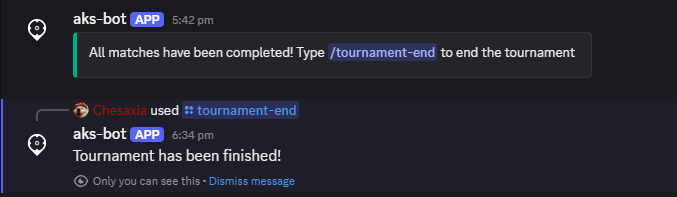
- Executing the
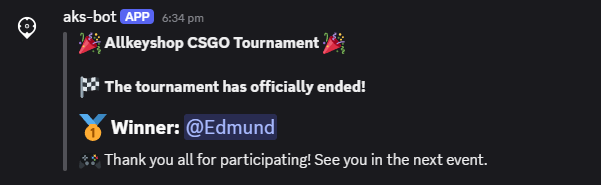
/tournament-end command in the admin channel as the administrator will officially end the tournament. The winner will also be displayed in the results channel.
- The final results of the tournament will be shown in the
results channel.