To modify the permissions for Readybot.io in a Discord server, follow these steps in the Discord client:
- Open "Server Settings" by clicking the "Server Name" header.
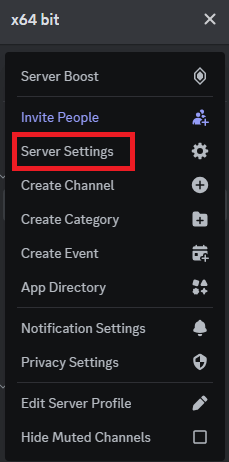
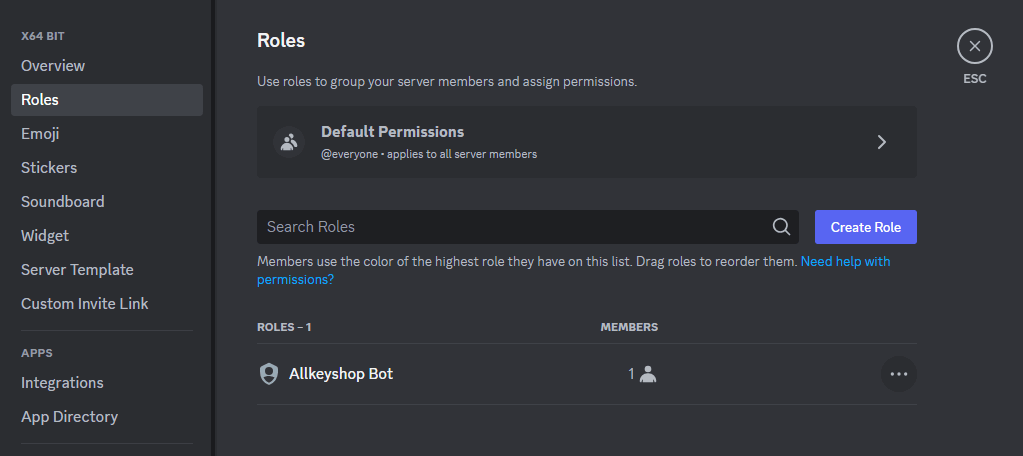
- Open the "Allkeyshop Bot" role.
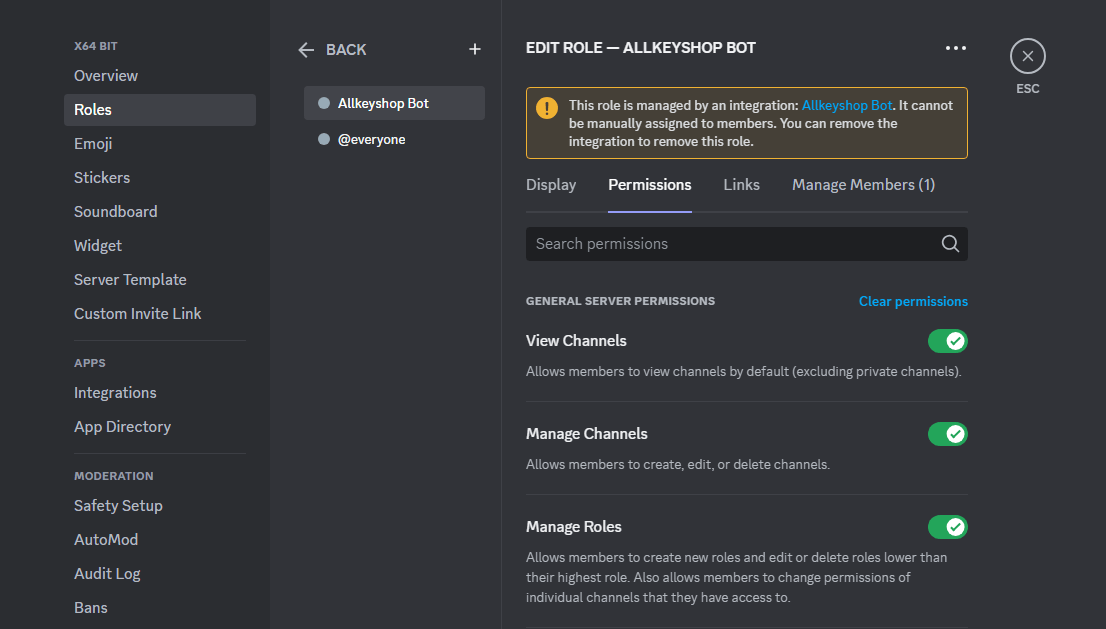
Required permissions
Make sure that all required permissions are enabled for Allkeyshop Bot to work:
| Permission name |
Description |
| Manage Server |
Allows the bot to change the server's settings, such as name and region. |
| Manage Roles |
Allows the bot to create, edit, and delete roles lower than its highest role. |
| Manage Channels |
Allows the bot to create, edit, and delete channels. |
| Manage Webhooks |
Allows the bot to create, edit, and delete webhooks. |
| View Channels |
Allows the bot to view all accessible channels. |
| Send Messages |
Allows the bot to send messages in text channels. |
| Send Messages in Threads |
Allows the bot to send messages within threads. |
| Create Public Threads |
Allows the bot to create public threads in text channels. |
| Create Private Threads |
Allows the bot to create private threads in text channels. |
| Manage Messages |
Allows the bot to delete messages sent by others and pin messages. |
| Manage Threads |
Allows the bot to delete and archive threads, and enable slowmode. |
| Embed Links |
Allows the bot to include embedded links in messages. |
| Read Message History |
Allows the bot to read past messages in a channel. |
| Mention @everyone, @here, and All Roles |
Allows the bot to mention @everyone, @here, and any role, notifying users. |
| Use External Emoji |
Allows the bot to use emojis from other servers. |
| Use External Stickers |
Allows the bot to use stickers from other servers. |
| Use Application Commands |
Allows the bot to use slash commands. |
| Connect |
Allows the bot to join voice channels. |


