Once you've successfully set up the Allkeyshop Bot on your Discord server, you can easily subscribe to the AKS RSS feeds to get regular updates.
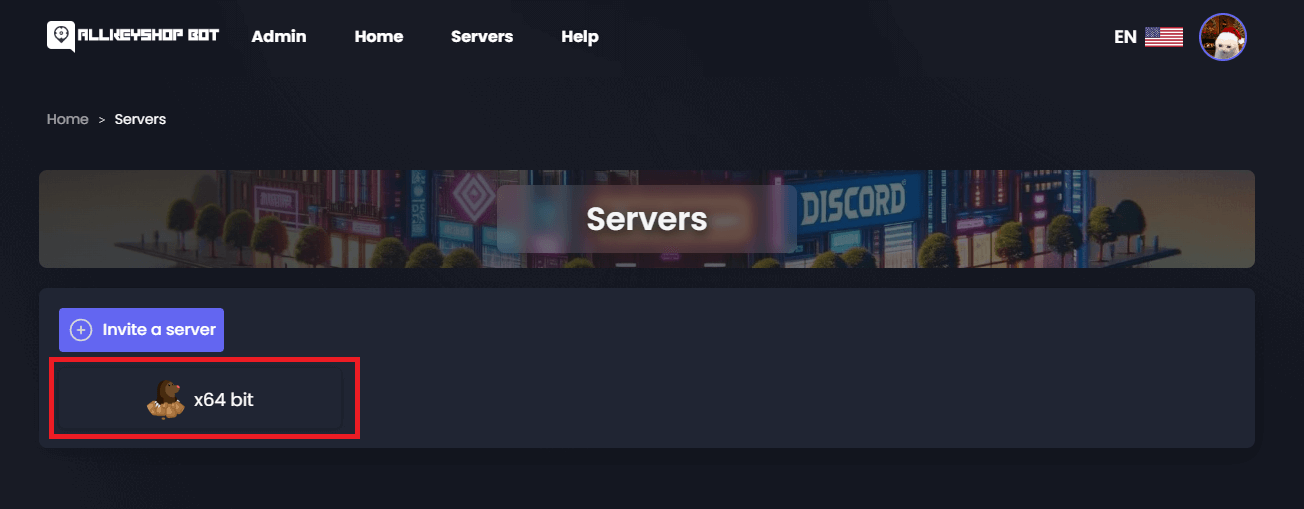
Step 1: Choose a Discord Server
After inviting the bot, select the Discord server where you'd like to receive the feeds.
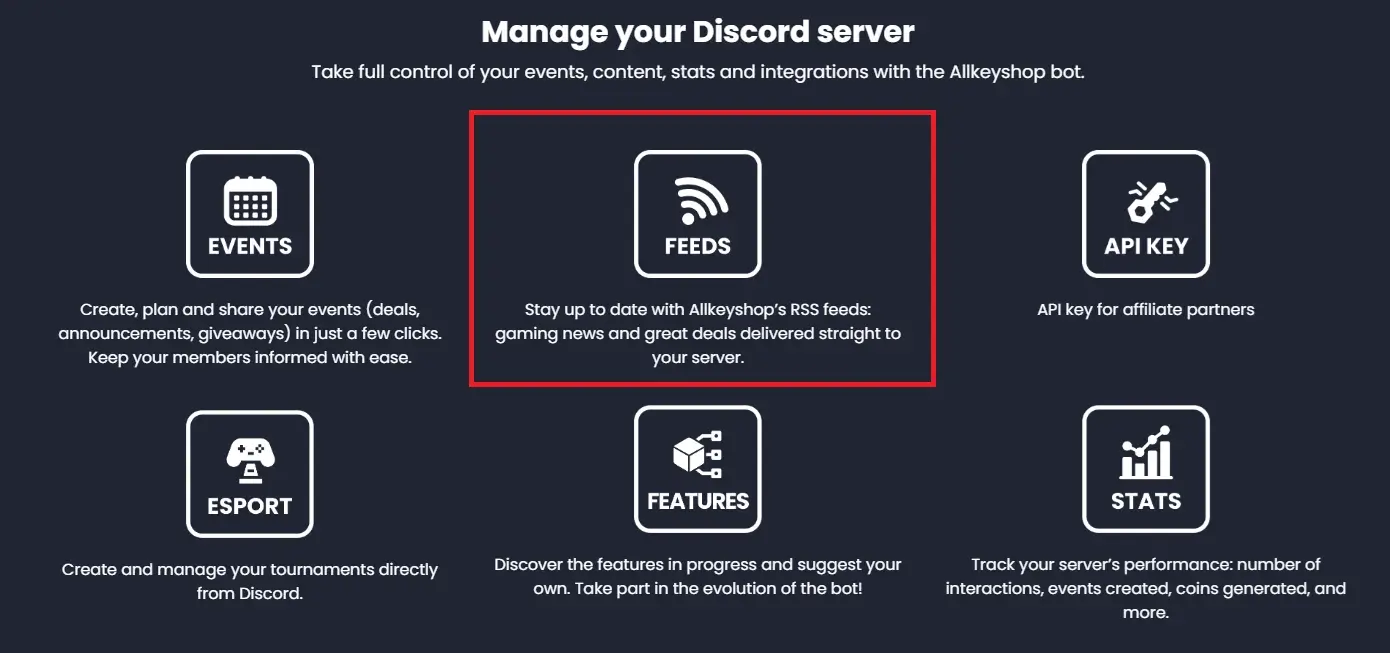
Step 2: Access the Feeds
In the selected server, navigate to the Feeds section of the bot interface.
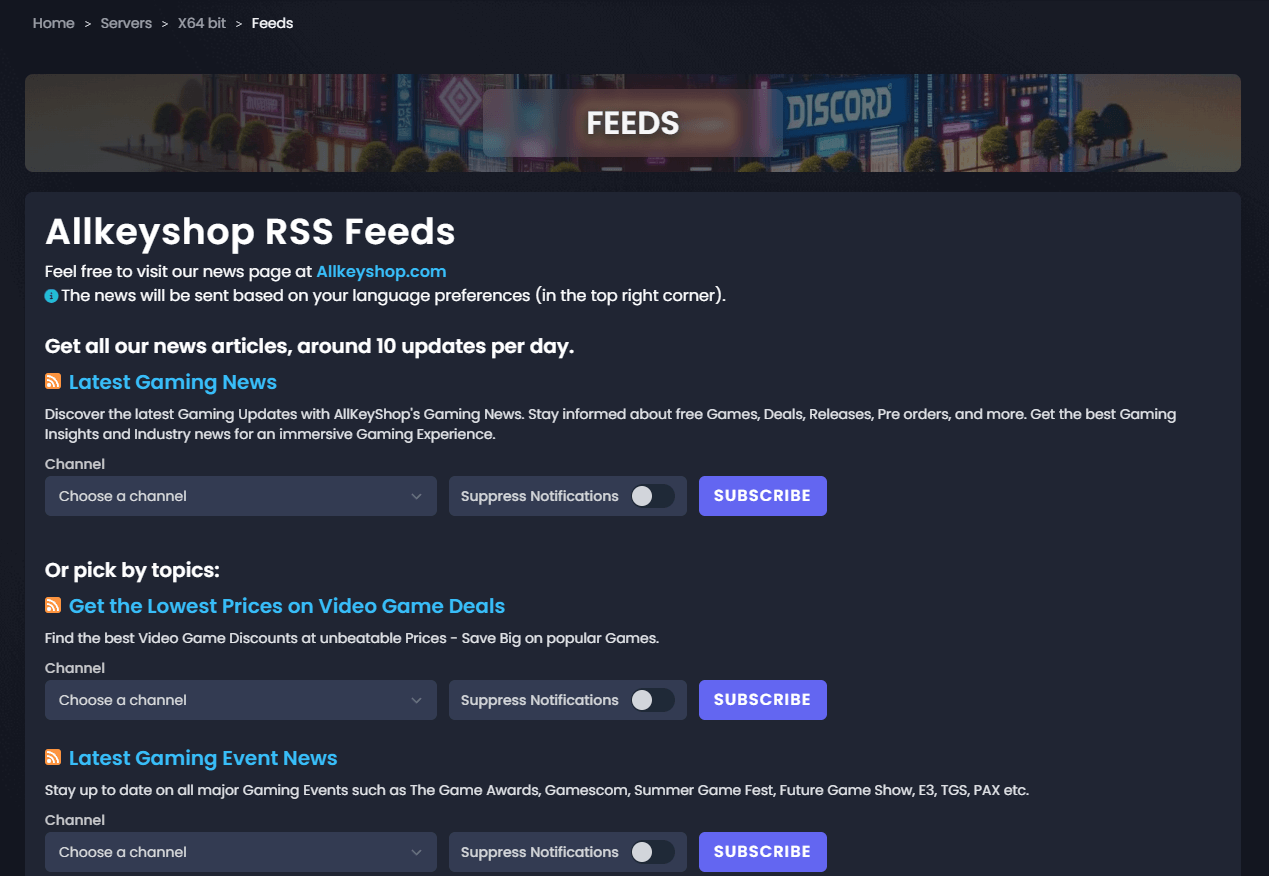
Step 3: View Available Feeds
A list of available AKS RSS feeds will be displayed. Browse through the different feed categories and choose the ones you'd like to subscribe to.
Step 4: Subscribe to a Feed
- Select the channel where you want to receive the feed updates.
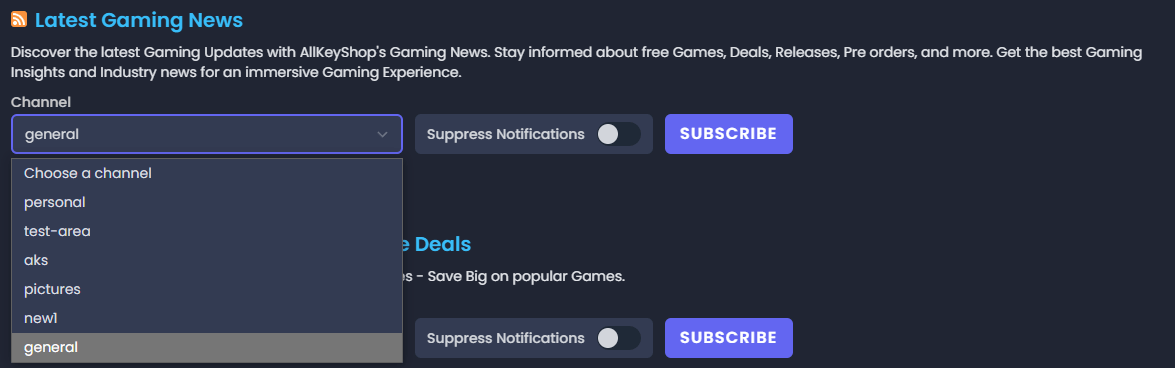
- Click the Subscribe button next to the feed you wish to receive updates for.

Once subscribed, the chosen RSS feeds will be delivered directly to the selected channel in your Discord server.


